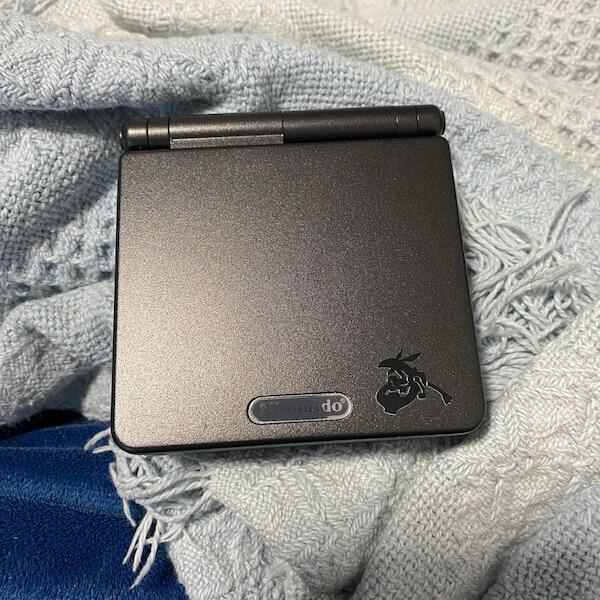

Yes, a Game Boy Advance SP can run homebrew games written for the GBA, usually through a compatible GBA flash cartridge. You do not need to jailbreak the console or replace its screen, but you do need a way to load the software; an ordinary charging cable cannot transfer games to it. This 2026 guide explains the setup, cartridge choices and checks that separate a working game from a file that only runs in an emulator.
- Nintendo Game Boy Advance SP homebrew games run on original hardware through a compatible cartridge; no jailbreak is required.
- Choose a GBA flash cartridge for downloadable homebrew; check its loading instructions and save support before transferring files.
- IPS screen and USB-C charging upgrades do not add game storage or homebrew compatibility.
- Download from the developer, follow the licence, and test saving before committing to a longer playthrough.
Can a Game Boy Advance SP run homebrew games?
A stock Game Boy Advance SP runs compatible homebrew without an internal modification. The practical route is a GBA flash cartridge that presents the program to the console through its cartridge slot. A homebrew release distributed on its own compatible physical cartridge also works without a separate loader.
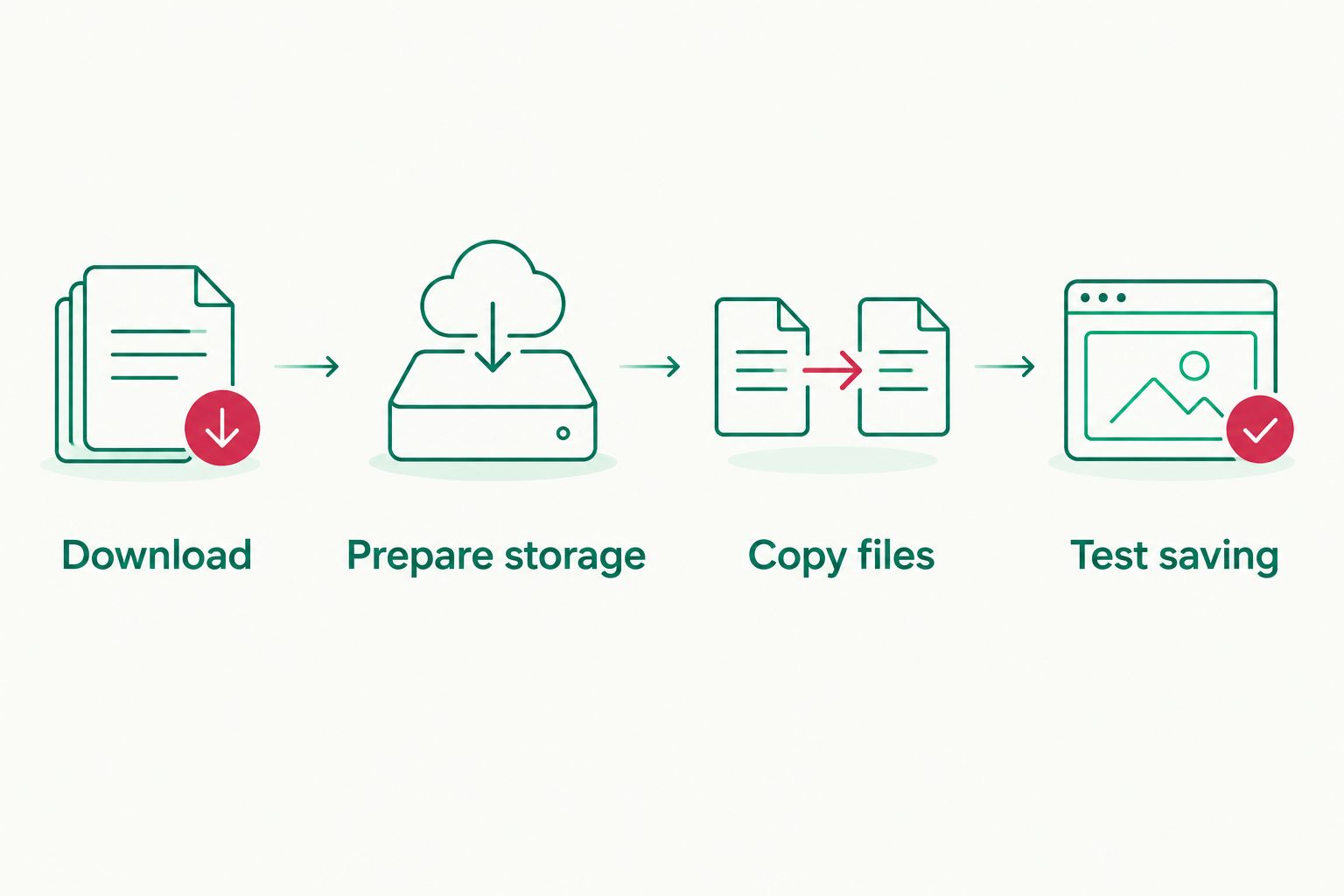
For downloadable games, follow this sequence:
- Check the release. Confirm that the developer provides a build for Game Boy Advance hardware, rather than a PC executable or source code alone.
- Check the cartridge. Confirm that your flash cartridge supports GBA software and the game's stated requirements.
- Prepare the files. Extract the download and follow the cartridge manufacturer's storage and menu instructions.
- Load the game. Insert the cartridge with the console switched off, then start the console and select the game.
- Test saving. Follow the cartridge's save procedure, restart safely and check that your progress returns.
A console without a cartridge does not provide a normal file browser or downloadable-game library. The separate guide to playing a Game Boy Advance SP without a cartridge explains that distinction.
Why this matters
A screen upgrade and a software loader solve different problems. An IPS display changes how you see the game; a flash cartridge changes how you supply the game to the original hardware.
That distinction matters when choosing equipment in 2026. Buy the loading method for compatibility, and choose screen or charging upgrades for the way you want to use the console. Neither an attractive shell nor a USB-C socket proves that a console includes the equipment needed for downloadable homebrew.
It also prevents unnecessary repair work. If a downloaded program fails while a known-working cartridge runs normally, investigate the file and loader before opening the console.
Which homebrew loading method should you use?
A compatible GBA flash cartridge is the best fit for trying multiple downloadable homebrew games. A dedicated cartridge suits a particular physical release, while multiboot is a specialist route for small programs and development.
| Loading method | Best for | Main advantage | Main limitation |
|---|---|---|---|
| GBA flash cartridge | Trying different downloadable GBA releases | Lets you load compatible software without changing the console internally | File preparation, save handling and compatibility depend on the cartridge |
| Dedicated homebrew cartridge | Playing a particular physical homebrew release | Starts through the normal cartridge interface | Does not act as a general library loader unless specifically designed to do so |
| Multiboot over the link port | Developers testing small programs | Transfers a program into the console's working memory | Needs suitable sending hardware and software; memory limits restrict what fits |
Do not select a cartridge merely because its listing says Game Boy. A cartridge intended for Game Boy or Game Boy Color software is not automatically a loader for native GBA programs. Match the loader to the software platform, not just the handheld's name.
GBA flash cartridge: best for downloadable games
A GBA flash cartridge supplies the game through the cartridge slot. Depending on its design, you prepare removable storage or use a dedicated programming process to put software onto it.
Check the instructions for the exact cartridge revision. Storage formatting, menu files and save handling are cartridge-specific; a tutorial for another device is not a substitute for its manual.
The benefit is flexibility. The trade-off is that you must manage files and understand how the cartridge preserves progress, rather than assuming every release behaves like an original retail cartridge.
Dedicated cartridge: best for a physical release
A homebrew developer can distribute a game on a physical GBA-compatible cartridge. In that case, you use the supplied cartridge rather than copying a download onto a separate loader.
This is the simpler route when you want that particular release. Its limitation is equally clear: owning a physical homebrew game does not give the console a general-purpose download function.
Multiboot: best for small development builds
The GBA's multiboot feature can receive a program through the link port and execute it from working memory. It requires a compatible sender and an appropriate transfer setup; a link cable alone does not provide the program.
Multiboot is useful for development and suitably small releases. It is not a general replacement for a flash cartridge, and the loaded program does not remain installed after power is removed.
How do you prepare a downloadable homebrew game?
Start with the developer's own release page or an authorised distribution page. Read the hardware notes before downloading, particularly when a project offers builds for several platforms.
A native GBA build commonly uses the .gba extension. That extension is a useful clue, not proof of compatibility: renaming a file does not convert software into a GBA program.
Download
Choose the released binary intended for players. A source-code archive contains the project's development files and usually needs to be compiled before the console can execute it.
Keep the accompanying instructions. They explain controls, save support, known hardware issues and whether the release is a demonstration rather than a finished game.
Prepare storage
Follow your cartridge's instructions for preparing its storage and installing any required menu files. Extract compressed downloads unless the cartridge documentation explicitly supports loading those archives.
Keep filenames recognisable. Avoid changing several loader settings at once; a simple starting configuration makes faults easier to isolate.
Copy files
Copy the GBA binary and any additional files the developer requires. Do not assume that every file in a development download belongs on the cartridge.
Safely eject removable storage before disconnecting it from your computer. Insert or remove the game cartridge only while the console is switched off.
Test saving
Launch the game, check its controls and reach a save point if it supports saving. Then follow the flash cartridge's documented shutdown or save-backup procedure before testing a restart.
A successful launch is not a successful save test. Confirm that progress survives the full process before starting a lengthy playthrough.
Why does homebrew compatibility vary?
Homebrew compatibility depends on the program and the loading equipment, not simply on whether the console turns on. These are the main checks for a 2026 setup:
- Target platform: Native GBA software differs from Game Boy, Game Boy Color and PC software. Use the build intended for the hardware you are running.
- Release requirements: A project can depend on particular cartridge behaviour or additional hardware. Read its hardware notes rather than assuming universal support.
- Save implementation: The program's save method must work with the cartridge's handling of saved data. Some demonstrations do not save at all.
- Loader configuration: Cartridge menu software, file preparation and per-game settings affect whether a program loads correctly.
- Hardware testing: An emulator can behave differently from a physical console. A release working on a computer does not establish that it has been tested on an SP.
- Console condition: Dirty cartridge contacts, unreliable power or faulty controls interfere with testing even when the software itself is compatible.
The original hardware remains the limit. The GBA has a 240 × 160-pixel display, 256 KB of external working RAM and 32 KB of internal working RAM. Those specifications help explain why a homebrew project needs a dedicated GBA build rather than an unchanged desktop version.
A larger storage card does not expand the console's working memory. Likewise, an IPS screen does not increase processing capability or make an incompatible program executable.
Do you need an IPS screen or USB-C mod for homebrew?
No. A working, unmodified Game Boy Advance SP can run compatible homebrew through the correct cartridge. Screen and charging modifications are separate choices, not prerequisites.
An IPS display changes the viewing experience, while a USB-C charging modification changes the charging connection. Neither adds an operating system, an SD-card reader or an app store to the console.
For a refurbished console in 2026, Retrofit offers modded Game Boy Advance SP hardware alongside repair and upgrade services. Retrofit is best for Australian players seeking refurbished Game Boy Advance SP hardware, not a substitute for a homebrew-compatible cartridge.
The advantage of Retrofit's refurbished Game Boy Advance SP offering is the option to choose rebuilt hardware with modern display upgrades. The limitation for this task is that a screen upgrade does not establish which homebrew loader or software is included; check the exact console details separately.
Choose the console for its condition, controls and viewing setup. Choose the cartridge for loading and saving your homebrew.
Can you put homebrew games on a Game Boy Advance SP with USB-C?
USB-C charging alone cannot transfer homebrew games to a Game Boy Advance SP. A charging modification does not turn the console into a USB storage device.
Use the flash cartridge's documented transfer method instead. Only treat a modification as a data-transfer feature when its own documentation explicitly describes that function.
Will homebrew games save on a Game Boy Advance SP?
Homebrew games save when the release implements saving and the cartridge supports its save method. Some projects are short demonstrations without persistent progress, so check the release notes first.
Follow the loader's save instructions exactly. If progress disappears, check save support and backup behaviour before assuming the console's battery or motherboard is responsible.
Can the Game Boy Advance SP run Game Boy Color homebrew too?
The Game Boy Advance SP can run Game Boy Color homebrew through a suitable Game Boy Color-compatible cartridge. Native GBA homebrew and Game Boy Color homebrew use different hardware modes.
A GBA flash cartridge does not automatically provide native Game Boy Color cartridge behaviour. Some loaders use emulation for older software, which introduces a separate compatibility question.
What should you check if a homebrew game will not start?
Test one change at a time. Start with a known-working cartridge to establish that the console reads games, then return to the homebrew setup.
- No file in the menu: Check that the archive is extracted, the build is for GBA and the file is in a supported location.
- Blank screen after loading: Recheck the release's hardware requirements and the cartridge's configuration instructions.
- Game runs but progress disappears: Confirm that the release saves and that you followed the cartridge's save procedure.
- Only one release fails: Compare that project's instructions with your setup before changing hardware.
- Known-working cartridges also fail: Stop treating the fault as a homebrew-only issue and inspect the console's cartridge-reading and power behaviour.
For a 2026 troubleshooting session, keep a note of the game build and loader configuration. That makes a useful support request; a description that only says the screen goes blank does not identify the setup.
FAQ
Do I need to jailbreak a Game Boy Advance SP for homebrew games?
No, a Game Boy Advance SP does not need a jailbreak to run compatible GBA homebrew. A suitable cartridge supplies the executable through the normal cartridge interface.
What's the easiest way to play downloaded GBA homebrew on an SP?
A compatible GBA flash cartridge is the practical choice for playing multiple downloaded GBA homebrew releases. Follow its storage, loading and saving instructions rather than using a generic setup guide.
Can I use an ordinary SD card directly in a Game Boy Advance SP?
No, a standard Game Boy Advance SP has no SD-card slot. Removable storage must be used through a compatible device designed to load software onto the console.
Will a screen upgrade make more homebrew games compatible?
No, a screen upgrade does not expand the Game Boy Advance SP's software compatibility. The game build and cartridge remain the relevant compatibility checks.
Does buying a refurbished SP mean homebrew games are included?
No, refurbishment alone does not establish that a homebrew cartridge or games are included. When choosing a Retrofit console, check the stated contents separately from the display and charging specifications.
Is downloading homebrew the same as downloading commercial ROMs?
No, homebrew is independently developed software, and permission depends on the release's licence and distribution terms. Use the developer's authorised files; a homebrew label does not grant permission to redistribute copyrighted material.
Can I use an emulator to check a homebrew game first?
Yes, an emulator can help check that a GBA build launches before transferring it. Physical hardware testing is still necessary because emulator behaviour does not guarantee cartridge compatibility.
One last thing
Keep a clean copy of the downloaded release and back up your save files. A working cartridge is not a backup, and replacing a game file without preserving its associated save can undo your progress.
Before changing loader settings or updating a release, copy the existing files somewhere safe. That simple habit makes experimentation reversible.