

Yes, an original Game Boy Advance can be converted to USB-C charging using a compatible rechargeable battery kit and charging circuit. A proper conversion adds battery management and a suitable power connection; fitting a USB-C socket alone does not make the original AA-powered console rechargeable.
- A Game Boy Advance USB-C conversion needs a compatible battery, charging circuit and secure installation—not just a socket.
- The original Game Boy Advance uses two AA cells; the GBA SP needs a different conversion approach.
- Check shell fit, battery protection and cable compatibility before choosing a rechargeable battery kit.
- Retrofit suits Australian enthusiasts seeking refurbished Game Boy Advance consoles rather than a DIY restoration project.
Why this matters
The original Game Boy Advance was designed around replaceable batteries, not an internal lithium charging system. That makes a USB-C conversion a power-system modification, even when the kit fits neatly inside the battery compartment.
For a 2026 build, choose the charging arrangement before choosing a replacement shell or screen. Retrofit sells refurbished and modded Game Boy Advance consoles and offers repair and upgrade services; confirm the charging specification of the particular build rather than assuming every console uses the same system.
Choose the complete battery system, not the connector shape. A tidy port is useful, but correct charging, secure mounting and compatibility with your console matter more.
Can an original Game Boy Advance be converted to USB-C charging?
Yes. The usual approach is to replace the AA battery arrangement with a rechargeable pack designed for the original Game Boy Advance, or install a compatible internal battery-and-charging assembly. The correct choice depends on whether you want to retain the original shell and how much installation work you can undertake.
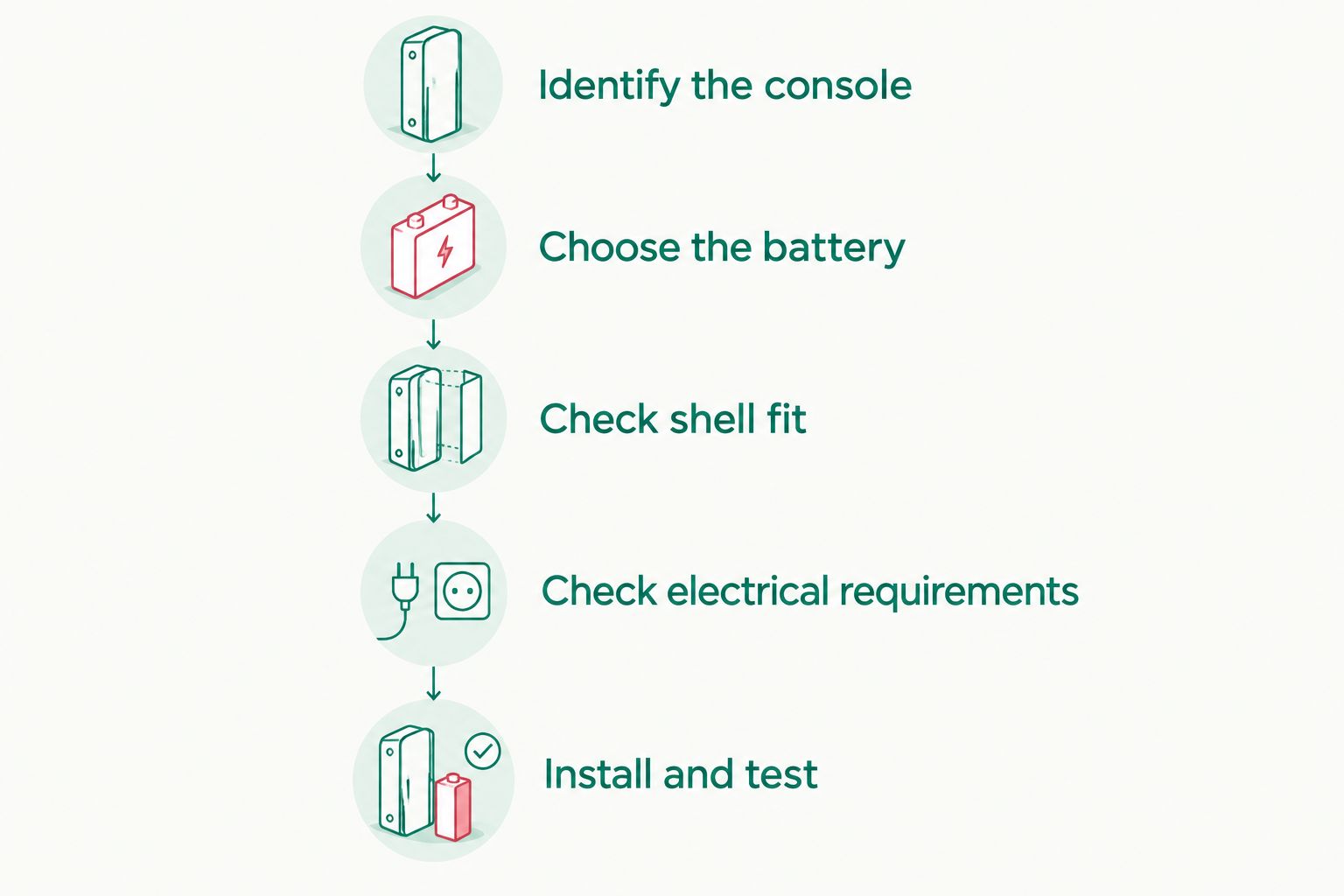
Use this sequence to assess a conversion before opening the console:
- Identify the console. Confirm that it is the original horizontal Game Boy Advance, not the folding Game Boy Advance SP.
- Choose the battery system. Select a documented kit explicitly intended for that model and the battery chemistry it uses.
- Check shell fit. Confirm battery-compartment clearance, port access and whether the battery cover needs replacement or modification.
- Check electrical requirements. Read the installation instructions for power connections, battery protection and supported charging arrangements.
- Install and test. Follow the kit instructions, inspect the installation and verify charging and gameplay before regular use.
These steps establish compatibility. They are not a substitute for the kit's wiring diagram, particularly where soldering or modifications to the original power path are required.
The original Game Boy Advance uses 2 AA cells, giving a nominal supply of 3 V with alkaline batteries. Standard USB power begins at 5 V; a conversion must handle that input correctly rather than connect it directly to the console's battery terminals.
That voltage difference is a practical reason to buy a purpose-designed system. The charging circuit must suit the rechargeable battery, and the console supply must remain within the requirements of the installed hardware.
Which conversion approach suits your console?
For a Game Boy Advance USB-C conversion in 2026, compare the installation method as closely as the advertised features. A removable battery solution and a permanently fitted assembly can both provide rechargeable power, but they create different maintenance and shell-preservation trade-offs.
| Approach | Best for | Main advantage | Main limitation |
|---|---|---|---|
| Compatible battery-compartment USB-C kit | Owners seeking a contained conversion | Keeps the rechargeable system concentrated in the battery area | Fit, battery-cover requirements and installation method depend on the kit |
| Internal battery-and-charging assembly | Experienced modders planning a coordinated rebuild | Allows the charging installation to be planned alongside shell and screen work | Requires careful electrical and mechanical integration |
| Rechargeable AA cells with an external charger | Owners prioritising an unchanged console | Retains the original battery arrangement without adding internal charging hardware | Batteries must be removed for charging; this is not USB-C charging through the console |
Keep rechargeable AA cells if preserving the original console is your priority. Choose a purpose-built USB-C kit if charging through the handheld is the feature you actually want.
Battery-compartment USB-C kit
A battery-compartment kit is best for an owner who wants a clearly defined conversion rather than a custom electrical build. Look for installation instructions that show the exact console model, battery placement and finished port opening.
The benefit is a defined package of compatible parts. The limitation is that a kit can still require shell changes, contact removal or soldering; the phrase battery pack does not establish whether installation is reversible.
Recommendation: choose this approach only after checking the installation manual against your shell. Do not use a listing photograph as proof of fit.
Internal battery-and-charging assembly
An internal assembly is best for an experienced installer coordinating several modifications. Plan the battery, charging board, wiring and port position together so that no component relies on being squeezed into place during final assembly.
This approach gives you control over the installation layout. It also makes you responsible for clearance, insulation, connector support and the compatibility of the complete power system.
Recommendation: use a documented design, not a collection of parts chosen because they physically fit. A battery and charging board must be electrically compatible as well as small enough.
Why Game Boy Advance USB-C conversions vary
The connector name does not describe the entire conversion. These factors determine whether a kit suits your console and how much work the installation requires:
- Console model: Original Game Boy Advance and GBA SP power arrangements differ. A kit for one is not a substitute for a kit intended for the other.
- Battery system: The battery chemistry, charging circuit and protection requirements must match. Do not substitute a battery solely because its connector looks correct.
- Shell clearance: Battery size, board position and port access determine whether the original compartment and cover remain usable.
- Installation method: Contacts, wires, solder joints and mounting arrangements differ between designs. Read the instructions before judging the difficulty.
- Other modifications: A backlit screen changes power demand. Assess the completed console rather than treating charging and display upgrades as unrelated projects.
- USB implementation: USB-C socket shape alone does not establish cable compatibility, charging behaviour or support for playing while connected.
For a 2026 purchase, ask for the exact kit or charging-board identification. That gives you something concrete to check against documentation and helps when the battery eventually needs replacing.
Does a USB-C conversion work with an IPS screen?
A USB-C rechargeable system can be used in an IPS-modded Game Boy Advance when the power system supports the completed build. The screen and battery installation must also fit together without trapped wiring or pressure on either component.
A backlit display draws power that the original unlit screen did not require. Screen brightness, battery condition and the installed hardware therefore matter when you assess runtime; USB-C itself does not establish how long the console will run.
An IPS V5 screen specification is not a charging specification. Check each separately, including whether the battery assembly leaves enough clearance for the display hardware and its cables.
Test the console at the screen settings you intend to use. A charging indicator confirms a charging state, not stable gameplay under every operating condition.
Can I use any USB-C cable or charger?
No. Use the cable and power-source arrangements supported by the installed charging board. A USB-C socket does not prove that the conversion supports every USB-C charger or both USB-A-to-C and USB-C-to-C cables.
USB-C-to-C operation depends on the charging input being implemented correctly, including the required configuration-channel signalling. A board that works from a USB-A source still needs its USB-C-to-C compatibility checked separately.
A charger's maximum power rating is not a promise of faster charging. The charging circuit and battery determine the permitted charging conditions, so choose documented compatibility rather than the largest charger rating.
For your 2026 setup, test the actual cable and charger you plan to carry. If charging fails, check the kit documentation before replacing parts or experimenting with unsupported power arrangements.
Can I play while the Game Boy Advance charges?
Only use the console while charging if the installed kit explicitly supports it. Charging a battery and powering a running console together requires the design to manage both loads correctly.
Look for a clear statement about play-and-charge operation or power-path management. Do not assume that a charging light means the kit is designed for simultaneous gameplay.
If the documentation does not establish support, charge with the console switched off. That is a clearer operating rule than trying to infer capability from whether the game starts with a cable attached.
What should you check before approving the installation?
A finished conversion needs more than a successful power-on. Ask the installer to explain what was changed, which battery system was fitted and how you should charge it.
Use this practical handover checklist:
- Port security: The connector stays supported during normal cable insertion and removal.
- Battery fit: The battery sits without compression, damaged wrapping or pressure from the cover.
- Internal clearance: Wires avoid screw posts, shell edges and moving controls.
- Charging behaviour: The indicators and charging sequence match the kit instructions.
- Gameplay stability: The console operates correctly with its installed screen and normal controls.
- Service information: You know the battery identification and the procedure for future replacement.
Stop using or charging a battery that is swollen, damaged or unusually hot. Do not force the cover shut over a battery or continue testing a questionable installation to see whether it settles down.
For a 2026 conversion, keep the installation instructions with the console. They are more useful for future servicing than a photograph of the finished port.
FAQ
Can I add USB-C charging to an original Game Boy Advance without soldering?
Yes, if you select a compatible kit whose instructions explicitly specify a solder-free installation. Other designs require soldering, contact changes or shell work, so check the manual before ordering.
Can USB-C charge the AA batteries already inside my Game Boy Advance?
A USB-C socket cannot make the original AA battery compartment rechargeable. Never attempt to charge disposable AA cells; rechargeable AA cells need a charger designed for their chemistry.
Is an original Game Boy Advance USB-C kit the same as a GBA SP kit?
No, an original Game Boy Advance USB-C kit is not interchangeable with a GBA SP kit. The original console uses AA batteries, while the SP has a rechargeable battery and a different charging arrangement.
Will a USB-C conversion make my Game Boy Advance battery last longer?
USB-C does not by itself increase Game Boy Advance runtime. Runtime depends on the battery's usable energy, its condition and the power demand of the completed console.
Can I use a powerful phone charger with a USB-C-modded Game Boy Advance?
Use a phone charger only when its connection and output are supported by the installed charging board. A higher maximum charger rating does not establish faster charging or compatibility.
Can I return a USB-C-modded Game Boy Advance to AA batteries?
Reversibility depends on the conversion and whether original contacts or shell material were removed. Check the installation requirements before modifying a console you want to preserve.
Can Retrofit help if I do not want to modify a Game Boy Advance myself?
Retrofit offers Game Boy Advance repair and upgrade services and sells professionally refurbished and modded consoles. Confirm the USB-C charging arrangement for your requested work or selected console before committing.
One last thing
The easiest detail to overlook is the next battery replacement. Before approving a conversion, record the battery identification, connection arrangement and charging-board documentation.
A clean installation should remain understandable when you reopen the console. If you cannot establish how the battery is replaced safely, settle that question before making the modification permanent.






