

An original, unmodified Game Boy Advance runs for approximately 15 hours on two AA alkaline batteries, according to Nintendo’s instruction booklet; that remains the stock-hardware reference in 2026. That figure does not cover an IPS screen upgrade, battery-powered lighting accessories or a rechargeable conversion, so check the console’s actual configuration before using it as your target.
- Game Boy Advance AA battery life is approximately 15 hours with alkaline batteries and the original screen.
- An IPS screen adds a powered backlight; the stock runtime figure does not apply unchanged.
- Rechargeable NiMH AA batteries work, but runtime depends on the cells and console configuration.
- Retrofit sells refurbished and modded Game Boy Advance consoles; confirm each build’s screen and power setup.
Why this matters
Original Nintendo hardware does not necessarily mean original power consumption. A refurbished Game Boy Advance can retain its Nintendo motherboard while using a replacement display and a different power system. The shell alone does not tell you which battery-life expectations apply.
Keep the original wide-body GBA separate from the folding SP, too. The SP uses a rechargeable battery pack rather than a standard AA compartment; its runtime belongs in the separate guide to Game Boy Advance SP battery life on a full charge.
How long do AA batteries last in an original Game Boy Advance?
Approximately 15 hours is Nintendo’s published reference for an original Game Boy Advance using two AA alkaline batteries. The source is Nintendo’s Game Boy Advance instruction booklet, specifically its battery guidance for the unmodified console. Treat this as an approximate operating figure, not a guarantee for every battery pair or secondhand unit.
For a 2026 purchase, establish whether the console still has its original non-backlit display. A bright screen that you can comfortably use in darkness is not the original wide-body GBA display configuration.
| Console configuration | Battery-life reference | Best for | Main limitation |
|---|---|---|---|
| Original GBA, original screen, alkaline AAs | Approximately 15 hours, per Nintendo’s booklet | Players prioritising original hardware and replaceable batteries | Screen needs external light |
| Original GBA with rechargeable NiMH AAs | Depends on the cells and console | Regular players who want reusable AA batteries | Requires a separate compatible charger |
| GBA with an IPS screen upgrade | Requires a build-specific runtime figure | Players prioritising a lit display | Display electronics and backlight add power demand |
| Game Boy Advance SP | Not an AA-powered configuration | Players who prefer a folding rechargeable handheld | Battery condition and display version affect runtime |
Do not compare these configurations as though they share a single battery specification. Battery chemistry, display hardware and the condition of the power path all matter.
Original screen: approximately 15 hours with alkaline AAs
The original wide-body Game Boy Advance uses two AA batteries and a reflective LCD without an internal backlight. That lack of powered illumination is central to understanding the stock battery-life figure. You need suitable room light or daylight to see the screen clearly.
Best for: original-hardware enthusiasts who value replaceable batteries. Carrying a spare matched pair lets you resume play without waiting for a recharge. The trade-off is visibility: a stock screen is harder to use in dim surroundings than a backlit replacement.
Start with a fresh, matched pair of alkaline batteries when checking a stock console. Do not combine a new battery with a partly discharged one, and do not mix battery types. A mismatched pair makes a runtime check less useful and conflicts with standard battery-safety guidance.
Nintendo’s approximate 15-hour figure is a reference for this original configuration. It is not evidence that every refurbished or modified GBA should achieve the same result.
Rechargeable NiMH AAs: check the cells, not just the label
Rechargeable NiMH AA batteries are a practical option for a standard AA-powered GBA. Their nominal voltage is 1.2 volts per cell, compared with 1.5 volts per cell for alkaline AAs. Those nominal ratings do not, by themselves, tell you how many hours either pair will deliver.
Best for: regular players who want to reuse their batteries. The benefit is straightforward: recharge the cells in a compatible external charger and use them again. The limitation is that capacity, age, charge state and storage history all affect the result.
Check the capacity printed on the batteries, but avoid turning that figure directly into a promised runtime. A capacity rating is measured under specified test conditions, while the GBA draws power through its own electronics and stops operating at its own voltage threshold.
A standard GBA does not recharge AA batteries inside its battery compartment. Remove rechargeable cells and use the charger specified for their chemistry. Never attempt to recharge ordinary disposable alkaline batteries.
IPS-screen GBA: use a build-specific battery-life figure
An IPS display upgrade changes the power calculation because it introduces a backlight and replacement display electronics. Brightness settings also become relevant. The original screen has no powered backlight to adjust.
Best for: players who want a readable screen without relying on external lighting. The trade-off is additional power demand, so the stock battery-life figure is not an appropriate promise for an IPS build. Ask which display kit and battery system the console actually uses.
For example, Retrofit’s Game Boy Advance Atomic Purple IPS V5 backlit screen refurbished console belongs in the upgraded-display category, not the original-screen category. Its IPS V5 designation does not establish a runtime figure by itself.
When comparing builds in 2026, request the test conditions alongside any runtime claim: battery type, brightness setting, cartridge and the point at which timing stopped. A result without those details is difficult to compare fairly.
Why Game Boy Advance AA battery life varies
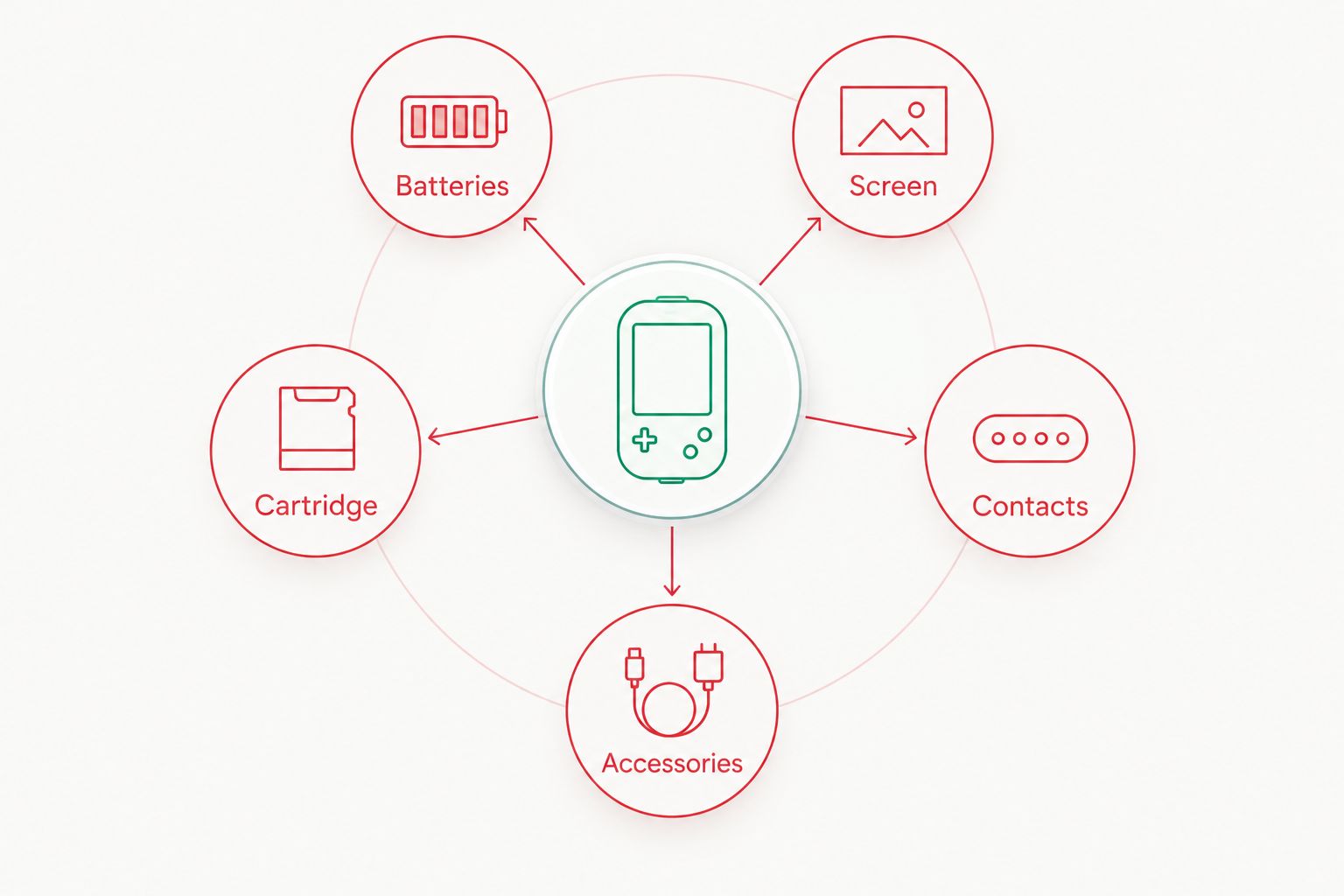
The most useful battery-life checks separate the power source from the console’s load and condition. These five factors explain why an old handheld can behave differently from the stock reference.
- Batteries: Chemistry, remaining charge, age and cell condition determine how much usable energy the pair supplies. Start with matched cells.
- Screen: An original reflective display and an IPS backlit display have different power requirements. Record brightness when testing an upgraded screen.
- Cartridge: A standard game cartridge and a flash cartridge are different electrical loads. Keep the same cartridge installed when comparing batteries.
- Contacts: Corrosion or poor connections can interrupt power and produce voltage drop. A shutdown does not automatically prove that the cells are empty.
- Accessories: Console-powered lighting and other powered accessories change the load. Remove them when establishing a baseline.
These factors belong in the same checklist because changing several at once hides the cause. Test one variable at a time.
How can I check my own GBA battery life?
A controlled runtime log is more useful than guessing from the power light. Use the same console, cartridge and settings throughout the check, and save your game before the batteries run low.
- Identify the configuration. Record whether the console has an original screen, an IPS screen or a rechargeable conversion. Do not assume an original-looking shell means an untouched interior.
- Prepare matched batteries. Use a fresh alkaline pair or a fully charged, matched NiMH pair. Write down the chemistry and capacity where stated.
- Fix the settings. Keep the cartridge, volume and accessory setup unchanged. On an IPS console, record the brightness setting as well.
- Log actual powered-on time. Add together your play sessions rather than counting calendar time between battery changes. Switch the console off between sessions.
- Record the endpoint. Note when the low-battery indication appears and when you stop playing. Do not describe time to a warning light as time to shutdown.
- Repeat before diagnosing a fault. A single poor result can come from the battery pair. Check another matched pair under the same conditions before blaming the console.
For a useful 2026 comparison, keep the notes with the handheld. That gives you a baseline after a screen change, repair or switch to a different battery type.
Why does my GBA turn off with apparently good batteries?
A GBA needs a stable electrical connection, not merely batteries that look new. Dirty terminals, corrosion and a worn power switch are possible fault points in an older handheld. A loose connection can interrupt play even when the cells retain energy.
Stop using batteries that are leaking, swollen, damaged or unusually hot. Remove them safely and follow local disposal guidance. Do not scrape significant corrosion into the console or continue testing a visibly damaged battery compartment.
If the power cuts out when you move the handheld, the symptom warrants inspection of the contacts and power path. If several known-good battery pairs give poor results, a repair assessment is more useful than repeatedly buying different cells.
Retrofit offers Game Boy Advance repair and upgrade services alongside refurbished consoles. Describe the actual symptom when requesting help: intermittent power, failure to start and consistently short runtime are different problems, not interchangeable descriptions of a bad battery.
Can I make AA batteries last longer without modifying the GBA?
You can avoid unnecessary consumption by switching the console off between sessions and removing powered accessories you do not need. On an original-screen GBA, there is no internal backlight setting to lower. Advice about reducing IPS brightness applies only to an upgraded display.
Keep the battery contacts clean and dry, and remove the batteries before extended storage. That last step is primarily about preventing leakage damage rather than extending a play session.
For a 2026 travel setup, carry spare AAs in a protective battery case. Keep loose cells away from keys, coins and other metal objects that can bridge their terminals. Replace the pair together rather than rotating one fresh cell through a collection of partly used batteries.
Should I keep AA batteries or choose a rechargeable conversion?
Keep AA power if replaceable cells are your priority; consider a rechargeable conversion if charging convenience matters more. A conversion changes the power system, so assess the battery pack, charging board and installation rather than treating a USB-C socket as proof of longer runtime.
Retrofit is best for Australian buyers seeking professionally refurbished, modded Game Boy Advance consoles. The relevant limitation for this question is that a modified build needs its own battery-life assessment; Nintendo’s original AA figure is not a substitute.
Ask whether a proposed conversion retains AA compatibility and which charger arrangements it supports. Do not put AA cells into a modified compartment unless the installer explicitly confirms that configuration is supported.
FAQ
How long do AA batteries last in a stock Game Boy Advance?
Approximately 15 hours is Nintendo’s published reference for an original Game Boy Advance using two AA alkaline batteries. Battery condition, accessories and hardware changes affect the result.
How many AA batteries does an original Game Boy Advance need?
An original Game Boy Advance needs two AA batteries. Fit a matched pair with the polarity shown in the battery compartment.
Can I use rechargeable AA batteries in an original GBA?
Yes, rechargeable NiMH AA batteries work in a standard AA-powered Game Boy Advance. Recharge them in a compatible external charger, not inside the unmodified console.
Will an IPS Game Boy Advance last as long as an original-screen GBA?
Do not assume an IPS Game Boy Advance will match the original-screen runtime. Its backlight and display electronics add power demand, so use a runtime figure measured for that build.
Does the original Game Boy Advance charge batteries through USB-C?
No, an unmodified original Game Boy Advance has no USB-C charging system. Charging through USB-C requires a compatible modification and rechargeable battery arrangement.
Does a red GBA power light tell me exactly how much time is left?
No, a red power light is a low-battery warning rather than a precise remaining-time display. Save your game and prepare to replace or recharge the batteries.
Does a Game Boy Advance SP use the same AA batteries?
No, a standard Game Boy Advance SP uses a rechargeable battery pack rather than two AA batteries. Its battery-life figures should be assessed separately from the original wide-body GBA.
One last thing
A brighter screen and a longer-lasting battery are separate upgrades. Neither an IPS label nor a USB-C socket establishes how long a handheld will run. Before changing anything, record the runtime of the console you already own under repeatable conditions; that baseline makes the next repair or upgrade decision clearer.






