

You can charge a modded GBA SP with a power bank when its USB-C charging board supports the cable and output mode you use. Instead of carrying Nintendo’s original charger in 2026, connect a compatible power bank, confirm the charge light remains stable and let the internal charging board control the battery.
- To charge modded GBA SP with power bank hardware, confirm the USB-C board supports your cable type.
- USB-C to USB-C is convenient, but older charging boards may require a USB-A to USB-C cable.
- Use ordinary 5 V USB output; never use a voltage-trigger cable with a GBA SP.
- Retro Fit modded GBA SP consoles suit Australian players who want modern charging and IPS V5 display options.
Why this matters
USB-C describes the connector, not guaranteed compatibility between every charging board, cable and power bank. Before choosing a bank, check the related GBA SP charging accessories guide for the practical differences between cables, adapters and portable charging equipment.
The original Nintendo AGS-002 adapter is labelled for a 5.2 V, 320 mA output through the GBA SP’s proprietary charging connector. A USB-C conversion changes the physical charging path and uses a board to supply the console correctly from USB power. It does not turn the console into a USB Power Delivery device or make every high-output cable suitable.
Retro Fit’s modded GBA SP range is best for Australian retro gaming enthusiasts who want original Nintendo hardware rebuilt with modern charging and IPS V5 display options. The limitation is configuration-specific compatibility: you still need to identify whether the installed charging board accepts USB-C to USB-C, USB-A to USB-C or both.
For 2026 travel, that distinction decides whether your console charges immediately or appears completely unresponsive when connected to a power bank.
Before you start
Have these items ready before connecting anything:
- A GBA SP with an installed USB-C charging mod. A stock GBA SP retains Nintendo’s proprietary port and cannot accept a USB-C cable directly.
- A charged power bank with a usable output port. A USB-C port marked only as input may charge the bank without powering another device. Check the labels printed beside the ports or in the bank’s manual.
- A known-good cable. Start with the cable that already charges the console from a compatible wall source. This separates cable faults from power-bank compatibility problems.
- The charging-board instructions, if available. They should state whether USB-C to USB-C charging is supported and whether charging during play is permitted.
The non-obvious problem in 2026 is USB-C configuration-channel support. A USB-C power source waits for the connected device to identify itself through the CC pins before supplying normal USB power. An older or incomplete GBA SP charging mod may lack the required configuration resistors, so a USB-C to USB-C power bank sees no valid device and leaves its output off.
That does not automatically mean the power bank, cable or console is broken. The same console may charge through a USB-A to USB-C cable because a USB-A output follows a different connection path.
Choose the correct cable path
Two cable configurations are common, and mentioning USB-C charging without distinguishing them causes most setup mistakes.
| Cable path | Best for | Pros | Cons | Verdict |
|---|---|---|---|---|
| USB-C to USB-C | Newer charging boards that explicitly support C-to-C input | Reversible at both ends; works with USB-C-only power banks | Fails silently when the mod lacks correct CC configuration | Use when board support is confirmed |
| USB-A to USB-C | Older USB-C charging mods and banks with USB-A output | Often works when C-to-C device detection fails | Requires a bank with USB-A output; cable direction matters | Use as the compatibility fallback |
Do not use a USB-C voltage-trigger cable. Trigger cables request a specific Power Delivery voltage for equipment designed to receive it; they are not ordinary charging cables. A GBA SP charging mod should receive the input specified by its builder, normally standard USB power rather than a forced higher-voltage mode.
Verify the charging path
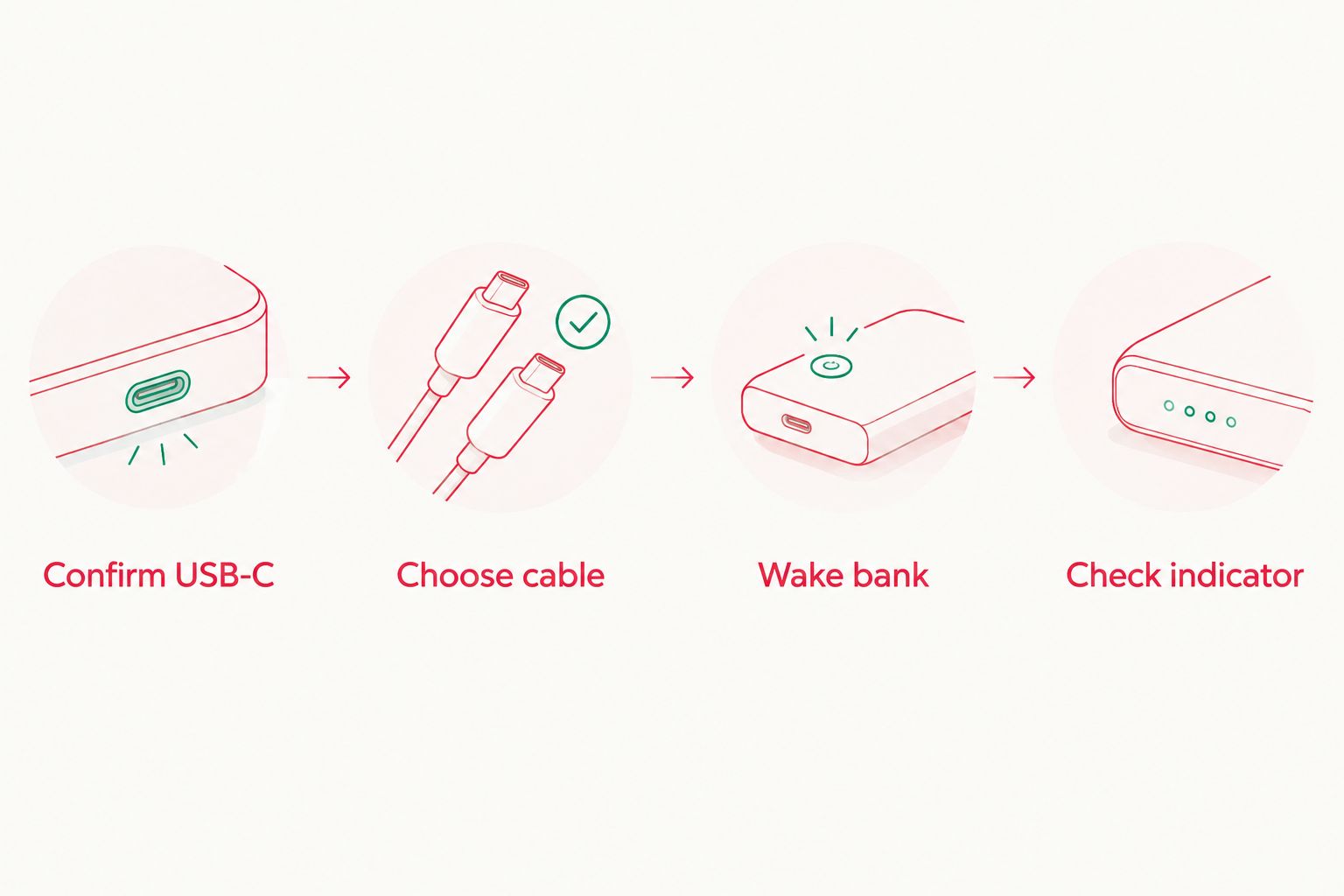
- Inspect the port. Confirm that the console has a clean, centred USB-C receptacle rather than Nintendo’s original GBA SP connector. Stop if the port is loose, pushed into the shell or visibly damaged.
- Test the console while powered off. Connect its known-good cable to the wall source already used successfully with that console.
- Check the charge lamp. The GBA SP has a dedicated charging indicator. A conversion that retains the standard indicator should show a steady light while charging.
- Disconnect the wall source. Wait until the charge lamp is fully off before moving the same cable to the power bank.
- Confirm cable support. If the known-good wall setup uses USB-A to USB-C, do not assume a USB-C to USB-C cable will also work. Treat it as a separate compatibility test.
Expected result: the console completes a stable wall-powered charging test before the power bank is introduced. If charging already cuts in and out from the known-good wall source, fix the cable, port or internal connection first.
This baseline matters because a GBA SP has no on-screen battery percentage. You cannot diagnose charging by looking for a phone-style status icon; the physical charge lamp and a controlled before-and-after test are the useful checks.
Configure the power bank and cable
- Choose the output port. Use USB-C output when the charging board supports C-to-C. Otherwise, choose USB-A output and connect a USB-A to USB-C cable.
- Disable forced-voltage accessories. Remove Power Delivery trigger modules, unusual adapter chains and magnetic tips from the test setup.
- Connect the cable to the bank. Seat it fully before touching the console end. A partially inserted connector can produce intermittent power.
- Connect the powered-off GBA SP. Insert the USB-C plug straight into the console without pushing sideways against the port.
- Wake the bank if required. If the power bank has a button labelled Power, press it once. Do not repeatedly cycle it while the console is connected.
- Observe the charge lamp. It should become steady and remain steady rather than flashing when the cable moves slightly.
Expected result: the power bank stays active and the GBA SP indicates a continuous charge. A bank displaying its own output status should continue to show an active connection rather than returning to standby.
USB-C Power Delivery sources begin with a 5 V connection state and only move to a higher negotiated voltage when a compatible device requests it. A properly designed charging board handles the console’s charging requirements; selecting a bank with a higher advertised wattage does not make the GBA SP charge faster by itself.
Run the first portable charge
- Start with the console powered off and its battery partly discharged. A fully charged battery may draw too little current to provide a useful test.
- Connect the confirmed cable path and record whether the charge lamp appears immediately.
- Leave the setup untouched for 10 minutes. Do not judge success from a brief flash when the connector first touches the port.
- Check that the power bank has not entered standby and that the console’s charge lamp remains stable.
- Disconnect the power bank before turning the GBA SP on. Confirm that the console starts normally and runs from its internal battery.
- Repeat the test with one variable changed at a time if needed: first the cable, then the output port, then the bank.
Expected result: the console accepts charge for the full 10-minute test without the bank shutting off or the indicator flickering. The shell should not develop unusual heat around the port while the console remains powered off.
Power-bank capacity labels such as 5,000 mAh and 10,000 mAh describe the bank’s internal cell capacity, not the amount delivered directly to the GBA SP battery. Conversion losses occur inside the bank and charging circuit, so do not calculate the number of console recharges by dividing one label by another.
Charge while playing
Charging during play is a second workflow, not part of the initial compatibility test. Use it only after powered-off charging works and the installed board permits simultaneous charging and console use.
- Connect the power bank while the GBA SP is off and confirm a stable charge lamp.
- Turn on the console without moving the cable or placing sideways pressure on the port.
- Set the IPS V5 screen to a moderate brightness for the first test. The screen, speaker and console now share the available input with the charging circuit.
- Play briefly while checking for interruptions, unusual heat or a power bank returning to standby.
- Stop and disconnect the bank if the charge lamp flickers, the console resets or the shell becomes unusually hot near the charging board.
Expected result: the console runs normally while connected, with no resets or intermittent charge indication. Charging can take longer during play because part of the available power is running the console rather than replenishing the battery.
The benefit in 2026 is uninterrupted play during travel or events. The drawback is extra cable strain and heat compared with charging a powered-off console. For the lowest-risk routine, charge while the GBA SP is closed and play after disconnecting it.
Troubleshooting
The power bank does nothing with USB-C to USB-C
Switch to a USB-A output and a USB-A to USB-C cable if both are available. If that path works, the likely issue is missing or incorrect USB-C CC configuration on the charging board rather than a dead battery.
Do not solve this by adding random dongles. Use the confirmed cable path or have the charging board inspected if C-to-C support was supposed to be included.
The charge lamp appears, then the bank turns off
Some power banks automatically enter standby when current falls below their detection threshold. This can happen near the end of charging or when a small device draws less power than the bank expects.
Use the bank’s low-current mode if its manual documents one. Otherwise, test another bank; do not keep waking the first bank every few seconds and assume charging is continuous.
Charging stops when the cable moves
Replace the cable and inspect both connectors for debris. A plug that rocks significantly inside the console may indicate port wear, a shell opening that presses against the connector or a loose internal joint.
Stop using the port if movement causes repeated disconnects. Continued sideways force can turn a minor connection issue into board damage.
The console charges while off but loses power during play
The display and console can consume enough power that little remains for the battery, especially at high IPS brightness. Reduce brightness, turn down speaker volume and retest.
If the internal battery still drains, use the power bank only for powered-off charging. Simultaneous play is optional; stable battery charging is the priority.
The shell becomes unusually hot
Disconnect the cable and power off the console. Mild warmth during charging is different from concentrated heat, a smell or a shell that becomes uncomfortable to touch.
Do not continue testing with another high-output source. Have the port, charging board and battery checked before the next charge cycle.
Customize your charging setup
Once the basic workflow is stable, build a small kit around the confirmed cable rather than buying accessories by connector shape alone. Keep one short cable with the console, label it if it is the only cable that works, and carry the power bank so its connector cannot be bent inside a packed bag.
Battery condition still sets the useful play time between charges. The GBA SP battery-life comparison explains why screen brightness, battery health and installed hardware matter alongside power-bank capacity.
Retro Fit sells professionally refurbished and modded GBA and GBA SP consoles for enthusiasts and collectors. Check the listed charging configuration for the individual console rather than assuming every USB-C port supports identical cables and power sources.
Browse modded GBA consoles
Compare refurbished and modded GBA and GBA SP options with listed screen and charging configurations.
FAQ
Can I charge a modded GBA SP with a power bank in 2026?
Yes, when the installed USB-C charging board supports the power bank and cable configuration. Confirm whether the board accepts USB-C to USB-C, USB-A to USB-C or both.
Why does USB-A to USB-C work when USB-C to USB-C does not?
The charging board may lack the configuration-channel components required for a USB-C source to detect it. USB-A output uses a different connection method, so the same console can charge through an A-to-C cable.
Can a laptop power bank damage a modded GBA SP?
A compliant USB-C source does not send a higher Power Delivery voltage unless the connected device requests it. Never use a voltage-trigger cable, and follow the charging-board builder’s input instructions.
Can I play a modded GBA SP while charging from a power bank?
Yes, if the installed charging board supports charging during use. Test powered-off charging first, then stop if the console resets, charging becomes intermittent or the shell develops unusual heat.
Why does my power bank keep turning off?
The GBA SP may draw less current than the bank’s automatic detection threshold, particularly near the end of charging. Use a documented low-current mode or test a different power bank.
Does a larger power bank charge a GBA SP faster?
No, capacity and charging speed are different specifications. The charging board controls what the battery receives, so a higher-capacity or higher-wattage bank does not override that limit.
Does Retro Fit use USB-C charging on modded consoles?
Retro Fit offers modded and refurbished GBA and GBA SP consoles with modern charging options, including USB-C configurations. Check the individual console description because charging hardware can differ between builds.
Should I use USB-C to USB-C or USB-A to USB-C?
Use USB-C to USB-C when the charging board explicitly supports it. Use USB-A to USB-C as the compatibility fallback for older boards that do not complete USB-C source detection.
One last thing
A USB-C-shaped port proves only that the cable fits. It does not prove C-to-C detection, charging-during-play support or compatibility with every power bank sold in 2026.
Retro Fit’s practical standard is the right one for modded GBA SP charging: confirm the hardware, use a known-good cable and test the complete setup before relying on it away from home.






